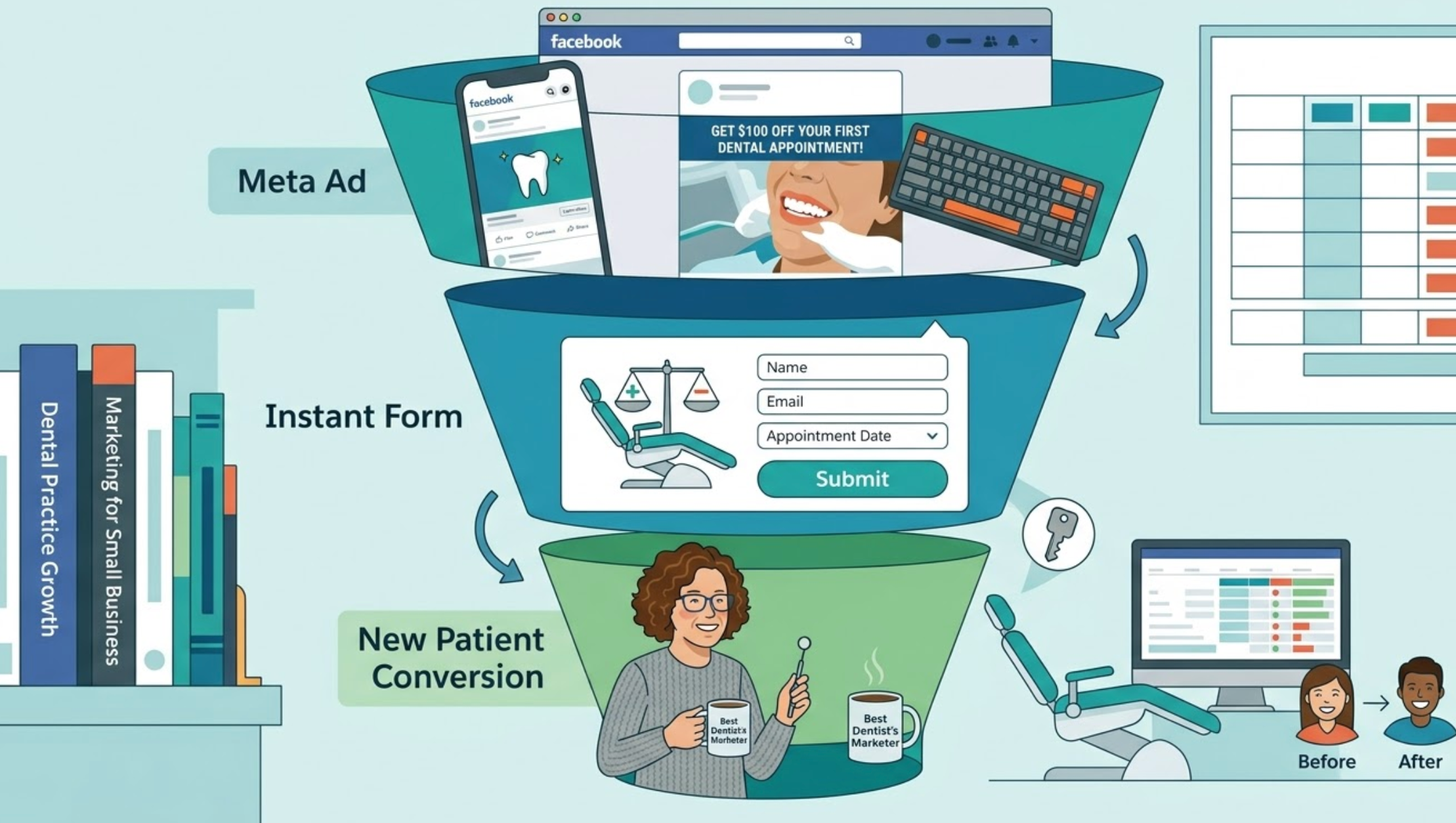
Facebook lead generation ads are one of the most effective ways to bring new patients through the door for dental practices. Unlike traffic or awareness campaigns, lead ads let prospective patients submit their details without ever leaving Facebook — reducing friction and dramatically increasing conversion rates. In this guide, we walk through the exact setup process used to generate consistent new patient enquiries for general dentistry, implants, veneers, Invisalign, and more.
Step 1: Campaign Setup in Meta Ads Manager
Start by opening Meta Ads Manager and creating a new campaign. When prompted to choose an objective, select Leads. From the available options, choose the manual setup rather than the guided option — this gives you full control over every setting.
Give your campaign a clear, descriptive name so it's easy to identify later (for example, include the practice name and the service being promoted). Once named, enable Advantage Campaign Budget (CBO). This setting allows Meta's algorithm to distribute your budget across ad sets automatically, directing spend toward whichever ad set is performing best at any given moment — a significant efficiency gain over manually splitting budgets.
Step 2: Ad Set Configuration
At the ad set level, name your ad set clearly and then configure the following settings:
- Conversion Location: Select Instant Forms. This keeps the entire lead capture experience within Facebook, removing the need for a landing page.
- Facebook Page: Select the dental practice's Facebook page.
- Performance Goal: Set this to Maximise Number of Leads to tell Meta's algorithm exactly what outcome you're optimising for.
- Dynamic Creative: Turn this on. This is one of the most important settings in the entire setup.
Dynamic Creative allows Meta's algorithm to automatically mix and match hundreds of permutations of your ad copy, headlines, and creative assets. Rather than you manually testing combinations, the algorithm identifies which combination resonates best with each individual user — significantly improving performance over time.
Step 3: Location Targeting
Dental practices are inherently local businesses, so precise location targeting is critical. Use the Add Locations in Bulk option and enter the practice's address using the Address type. Then set a radius that reflects the realistic catchment area:
- Dense urban areas (e.g. a major city): approximately 7 miles
- Rural or countryside areas: 15–20 miles
Avoid setting the radius too wide — you want to attract patients who will realistically travel to the practice, not generate leads from people who are too far away to convert.
Step 4: Creative Assets
If the dental practice hasn't provided real images or videos, use high-quality stock footage. For practices promoting laser dentistry, stock videos from the laser technology provider work well — many laser companies produce these specifically for use in advertising.
Once your creatives are uploaded, enable the Optimise Creative for Each Person setting. This gives Meta's algorithm maximum flexibility to serve the most relevant creative to each individual user based on their behaviour and preferences.
Where possible, upload a mix of formats — short video clips, static images, and carousel cards — to give the algorithm more to work with.
Step 5: Ad Copy (Primary Text)
Add at least four different primary text variations (the maximum is five). Each variation should speak to a slightly different angle or patient concern — for example, pain-free treatment, convenience, technology, or cost transparency.
One particularly effective angle for general dental practices is laser dentistry — specifically, laser technology that allows dentists to perform fillings without drills or needles. This is a compelling differentiator that resonates strongly with patients who have dental anxiety.
Pre-Qualifying Leads in the Ad Copy
If the dental practice does not accept Medicaid (or any specific insurance type), make this explicitly clear in the ad copy. This is a critical step that many advertisers overlook. Pre-qualifying leads at the ad copy stage prevents the practice from receiving a high volume of enquiries from patients they cannot serve — saving time for both the practice and the prospective patient.
A simple line such as "Please note: we do not currently accept Medicaid" in the body copy is enough to filter out unqualified leads before they even click.
Step 6: Headlines, Descriptions, and Call to Action
Add multiple headline variations — the dynamic creative engine will test all combinations of headlines, body copy, descriptions, and creatives to identify the best-performing mix for each person.
A few important notes on this section:
- Description: Optional. Add if you have additional context to include, but it's not required.
- Display Link: Optional. Can be used to show a clean URL (e.g. the practice website) even though the ad leads to an Instant Form.
- Call to Action Button: Use Learn More. This is intentionally low-commitment and performs well for lead generation.
Critically, make sure the CTA in your ad copy is consistent with the button CTA. For example, if your copy says "Book your appointment — press Learn More to get started", the button should say Learn More. Mismatched CTAs create confusion and reduce click-through rates.
Step 7: Building the Instant Form
The Instant Form is the heart of the lead generation ad. When a user clicks your ad, this form opens natively within Facebook — no external website required. Here's how to build it effectively.
Form Type and Name
- Name: Give the form a clear, descriptive name so it's easy to identify in your account.
- Form Type: Select More Volume. This option is optimised for maximum submissions and works best for dental lead generation campaigns.
- Background Image: Leave this blank. Facebook will automatically pull the image or video from your ad creative, keeping the experience visually consistent.
Greeting Section
Add a greeting with a clear headline and a short paragraph description. Use this section to reinforce any important qualifiers — for example, confirming which insurance types are accepted, or highlighting the key benefit of the service being promoted. This is your second opportunity to pre-qualify leads before they submit their details.
Custom Questions
Add the following custom questions to gather useful information from each lead:
- "How can we help you with your dental needs?" — This open-ended question helps the practice understand what the patient is looking for before they make contact.
- "What type of dental insurance do you have?" — Add this if the practice is particular about insurance type. It allows the team to prioritise or filter leads before follow-up.
Prefill Questions
Include the following prefill fields, which Facebook will auto-populate from the user's profile where available:
- Email address
- Full name
- Phone number (the most important field — this is how the practice will follow up with leads)
Privacy Policy and Thank You Screen
Add a link to the practice's privacy policy — this is required by Meta and is typically the practice's website privacy page. Then configure the thank you screen that appears after submission:
- Write a warm, reassuring thank you message confirming the submission has been received and that the team will be in touch.
- Add a Call Business button with the practice's phone number and a Call Now CTA. This encourages motivated leads to call the practice directly rather than waiting to be contacted — increasing the speed-to-contact and improving conversion rates.
Step 8: Lead Management and Follow-Up
Generating leads is only half the job — managing and following up on them efficiently is what turns enquiries into booked appointments.
Downloading Leads from Meta Ads Manager
To access your leads manually, go to Meta Ads Manager, find the relevant ad, and click the On-Facebook Lead link. From there, select a date range and export the data as a CSV file. This file will contain all submitted lead information including name, email, phone number, and any custom question responses.
Automating Lead Delivery with Third-Party Software
For a more professional and scalable setup, connect your Instant Form to a third-party lead management tool. This allows new leads to be automatically pushed to an organised spreadsheet or CRM that the client can access in real time — no manual CSV exports required.
A well-structured lead sheet should capture and categorise the following fields for each submission:
- Full name
- Email address
- Phone number
- Insurance type
- Dental needs / reason for enquiry
This clean, categorised format makes it easy for the practice's front desk team to prioritise and follow up with leads quickly — which is essential, as speed of follow-up is one of the biggest factors in converting a lead into a booked appointment.
Key Takeaways
Setting up a Facebook lead generation ad for a dental practice is a multi-step process, but when done correctly it creates a highly efficient, self-optimising system for new patient acquisition. Here's a quick summary of the most important elements:
- Use the Leads objective with Instant Forms as the conversion location
- Enable Dynamic Creative and Advantage Campaign Budget for maximum algorithmic efficiency
- Set a realistic location radius based on the practice's catchment area
- Write at least four ad copy variations and multiple headline variations
- Pre-qualify leads in both the ad copy and the Instant Form greeting
- Always include phone number as a prefill field — it's the most important contact detail
- Add a Call Business button on the thank you screen to encourage immediate contact
- Automate lead delivery to a CRM or spreadsheet for fast, organised follow-up
Ready to Start Generating New Patients?
If you'd like to implement this exact system for your dental practice, we've put together a free campaign template that you can download and use as a starting point. It includes the campaign structure, ad copy frameworks, and Instant Form setup outlined in this guide.
Alternatively, if you'd prefer to have a specialist set this up for your practice, book a free strategy call with our team. We'll review your current marketing setup and show you exactly how we'd structure a lead generation campaign for your specific services and location.