If you run Google Ads for a home services company, a salon, or a professional practice, the click has always been step one. Someone taps your ad, lands on your site, then hunts for a phone number or a form. Every extra step loses a few people. Google just shortened that path, whether you asked for it or not.
What Google changed
Google is expanding its Book button to Search and Performance Max campaigns through Reserve with Google, the program that connects Google to third party scheduling platforms. Performance Max, if the name is new to you, is the campaign type where Google automatically places your ads across Search, Maps, YouTube and other Google properties. Until now, this button mostly lived on Local Services Ads and Maps ads.
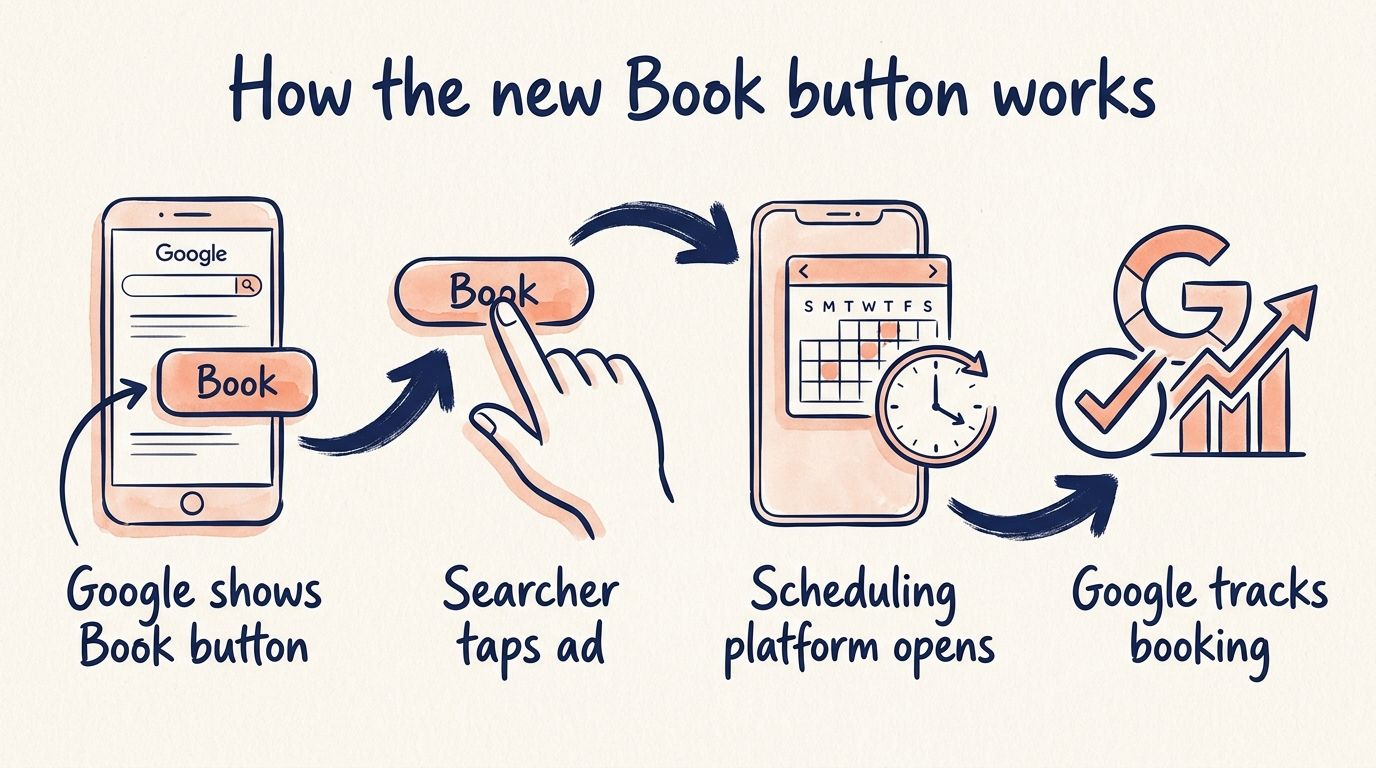
When a searcher clicks the Book button, Google sends them straight to your scheduling platform to book the appointment. If you already published an appointment link through Reserve with Google, that same link can now power a Book button on your paid ads. There is nothing to build, and Google tracks the booking without extra tagging on your end.
This also lines up with Google expanding its list of booking partners for Local Services Ads earlier the same week. Booking is clearly a priority for them right now.
It rolls out automatically, and that cuts both ways
Google is turning this on for eligible advertisers without asking first. You can opt out, but the opt-out lives inside Google Ads, and it cannot be changed from your Business Profile. So if your front desk or a local manager handles the profile, they have no switch to flip. Only someone with access to the ads account can make that call.
There is a second detail that affects your bidding. A new Appointments booked goal shows up in eligible accounts with no opt-in required, but it does nothing to your bidding until you add that conversion action to your campaign settings. Seeing the goal in your account and having Google optimize toward it are two different things.
Here is where it can cost you real money. If your published booking link points at a generic homepage, that link used to waste some free organic clicks. Now it sits behind a paid Book button, and Performance Max will push budget toward it. A sloppy link just got handed an ad budget.
Clinics sit this one out
Google Ads does not allow booking links or booking goals for healthcare campaigns. If you run a clinic, you keep the organic Book button only, and none of this appears on your paid ads. My advice for healthcare owners is to watch this closely anyway. Google keeps pushing booking deeper into its products, and the way I see it, the habits patients build booking their haircuts and home repairs will shape what they expect from you next.
My take: the lowest friction booking flow wins
Online booking is slowly forcing its way into mainstream marketing, and Google is fully embracing it. Buttons on Local Services Ads, then Maps, now Search and Performance Max. My bet is this trend only accelerates from here.
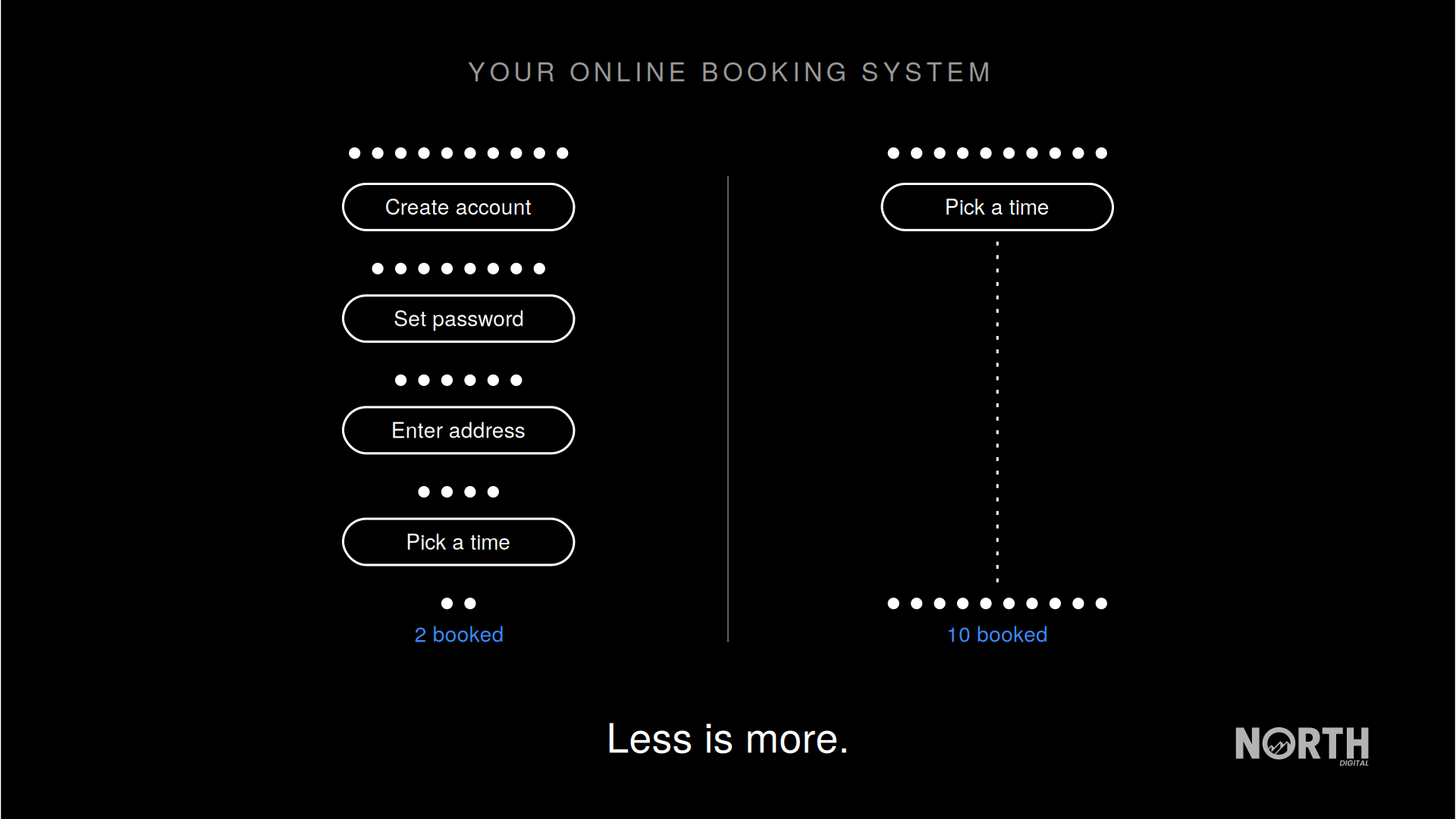
Here is what I have learned from managing paid ads for service businesses over the past decade: the lowest friction path always wins. That should be the single biggest factor when you choose a booking provider for your business. Pick the one that requires the fewest steps for the person booking.
People do not want to create a new account. They do not want to invent and remember another password. They do not want to type out their full home address just to hold a time slot. In my experience, every one of those demands bleeds bookings, and you never see the people who gave up halfway.
The best booking systems skip account creation entirely. The person enters only the essential information needed to hold that booking, and they are done. Now that Google is wiring your booking flow directly into your paid ads, that flow has become part of the ad itself. I expect the businesses with clean, short booking flows to quietly pull ahead of competitors paying the same cost per click.
How the new Book button works
How to prepare your business
1. Audit the appointment link for every location you operate this week, and fix any link that points at a generic homepage.
2. Go through your own booking flow as a stranger and count every step, field, and password it demands.
3. Decide inside your Google Ads account whether to keep the Book button or opt out, and confirm who on your team can access that setting.
4. Only add the Appointments booked conversion action to your campaigns once the booking flow behind it is worth sending budget to.
If you want a second set of eyes on your booking flow and your Google Ads account together, book a call with me and we will go through it.